Teach yourself visually computers
- Pages
- 306
- 3 editions
- First published
- 2005
- 1 language
Join or log in to shelve and rate Free, no password.
Overview
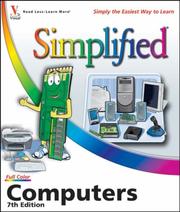
Are you a visual learner? Do you prefer instructions that show you how to do something -- and skip the long-winded explanations? If so, then this book is for you. Open it up and you'll find clear, step-by-step screen shots that show you how to tackle more than 135 basic computer tasks. Each task-based spread includes easy, visual directions for performing necessary operations, including: Comparing types of computers Selecting memory and storage options Using Windows® or Mac OS® X Working with digital media Exploring e-mail and the Web Protecting your privacy online Helpful sidebars offer practical tips and tricks Full-color screen shots demonstrate each task Succinct explanations walk you through step by step
Ratings & reviews
Log in to rate or review this book.
No written reviews yet.
Discussions
Talk about this book with other readers.
Log in to start a discussion.
No discussions yet.
Editions


Details & links
- First published
- 2005
- Pages
- 306
- Languages
- Available in 1 language
Where to buy this book: see “Buy this book”
More about this book
Read a sample, borrow it or see other editions → openlibrary.org